Early preview · Business
Your team's AI agents, in one place.
Build agents as code in your own repository. Your people use them in an app of their own, you watch them on dashboards you configure, and every model call goes through one gateway you control.
$5 of usage to try it. No sales call.
- Front deskYour website · talk and chat1,044 customers
- Data agentPostgres · read-only128 questions
- Bug hunterGitHub and Sentry37 bugs
- Note-takerGoogle Meet, notes to Notion9 meetings
One place for your agents
Build it once. Your whole team uses it.
An app for your people, a dashboard for what the agents are doing, and a gateway for every model call. All from the agent's code.
Your team's app
Your people get an app of their own.
They sign in at your workspace's address, pick an agent and ask. They get the answer with the steps the agent took and the links it used, can approve what it asks to do, and can call it. You choose who is in, what each agent is open to, and how much each person may use. A log shows what each person did, never what they said.
Dashboards
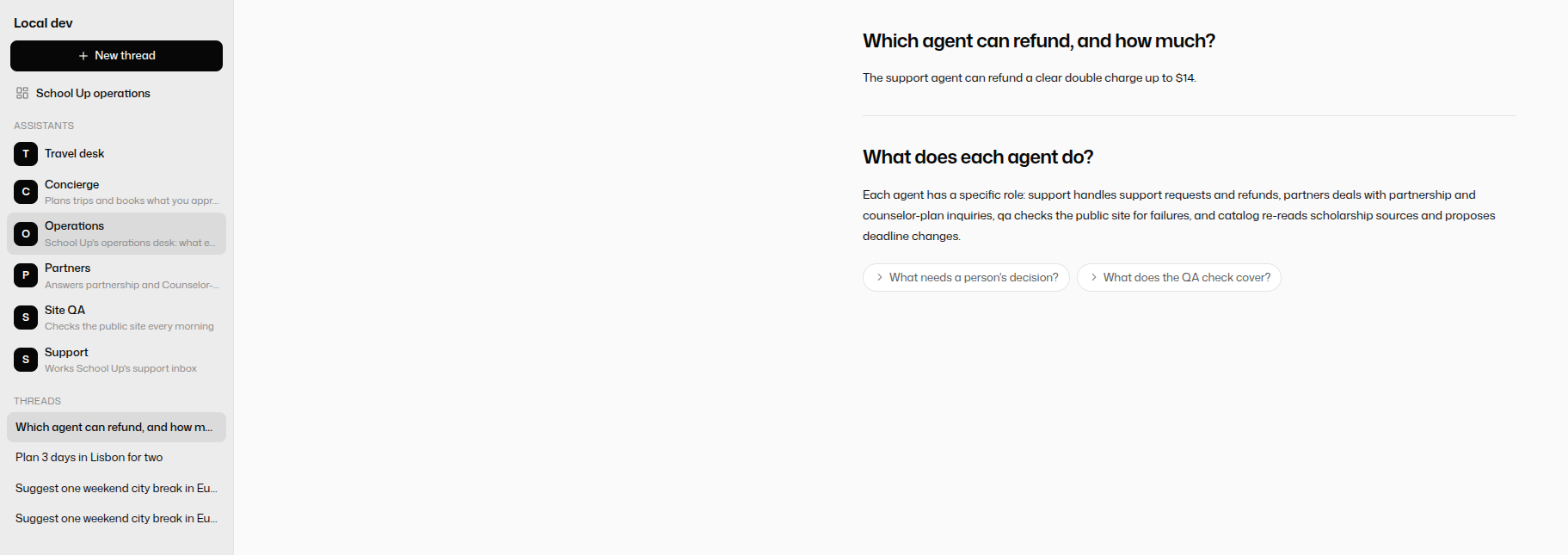
A dashboard you configure in code.
Declare the widgets next to the agent: a report from its last run, recent runs, counts, tables of what it handled, a form that starts a job, links and shortcuts. One agent's page can cover several agents, so a desk can show your whole project. Reports can refresh by themselves, and nothing of yours runs when someone looks.
The gateway
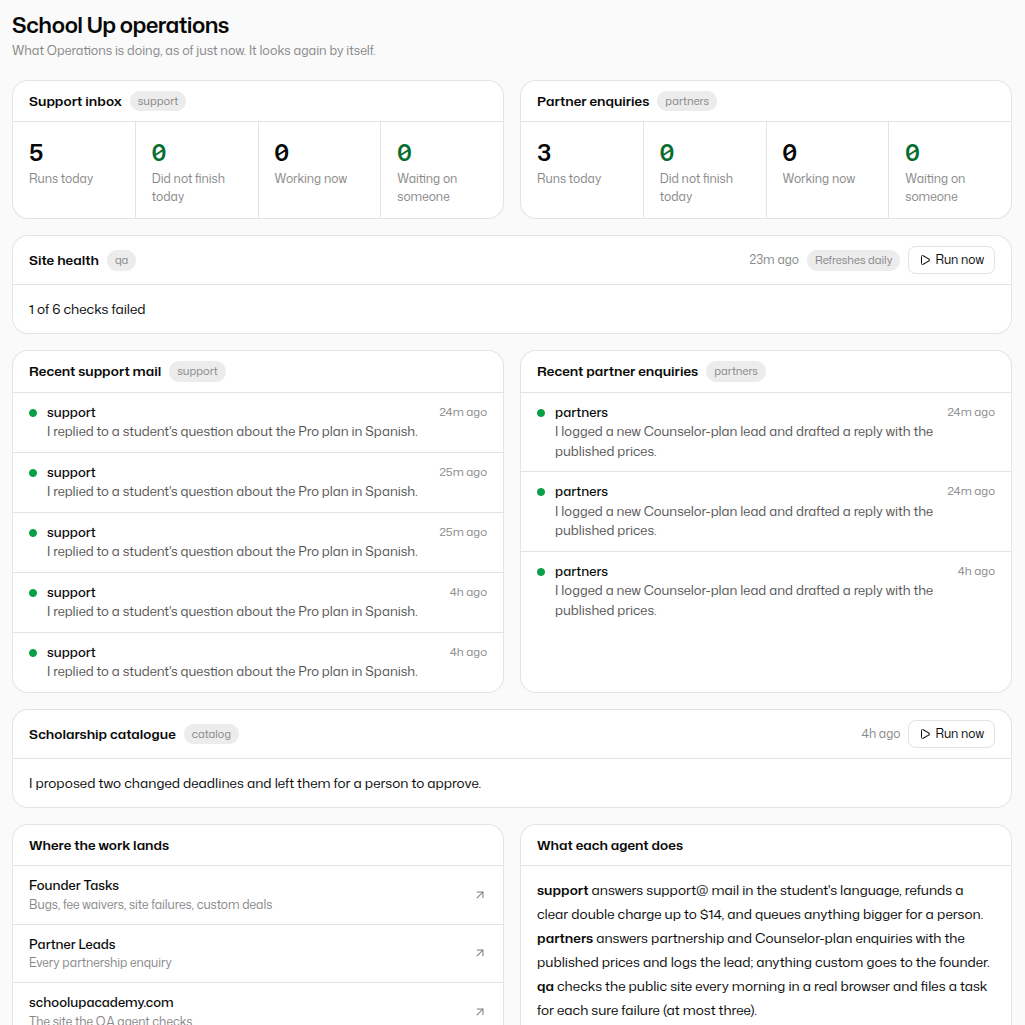
Every model call, through one door you control.
One OpenAI-compatible address for your apps, your scripts and your agents. See every call, set spend limits, and bring your own OpenAI or Anthropic key so their models go through it too.
One OpenAI-compatible address
Point any OpenAI library at it. Your login or any API key of the workspace works as the key.
Bring your own key
Add your OpenAI or Anthropic key and their models go through the gateway with it, billed by them. Without one, they are refused: never ours.
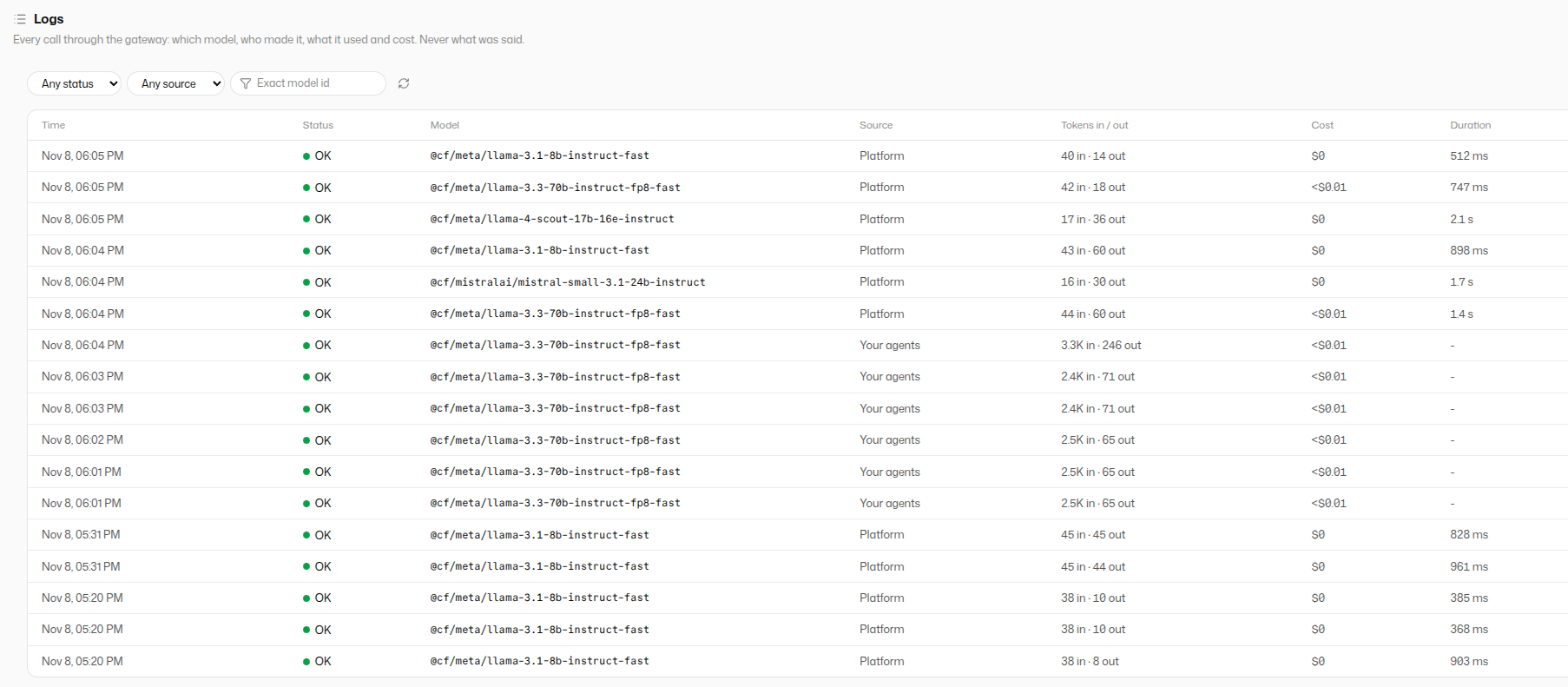
Every call in the log
Which model, who made it, what it used and what it cost, newest first. Never what was said.
Prices you can see
Each model's price is on its page, and every call is priced to the cent against your usage credit.
Spend limits
A daily cap on a key, and a daily ceiling on the workspace that counts the gateway too. A leaked key cannot drain you.
A playground
Try a model, or put three side by side and send them one message. Every turn is priced.
Playground
Try any model, or put three side by side.
Send one message to every panel and read the answers together, with what each used and cost. Every turn is a real call through the gateway, so it is in the log.

Jobs for an agent
Give it a real job, not a chat box.
Whatever you connect it to, it can work with. Here are four jobs teams hand to their agents.
Bug hunter
It reads the bug report, and finds what broke.
Point it at a GitHub issue. It looks through the errors in Sentry and the recent changes to your code, finds the one that broke things, and writes it up on the issue.
Checkout button does nothing on Safari #482
sentry.search_issues · checkout310 ms
github.list_commits · checkout.js220 ms
Data agent
Ask your database a question, in plain words.
Connect it to your database. It writes the query, runs it, and answers with a chart, and the query is right there to check. Give it read-only access, and that's all it gets.
Which plan are new customers picking? Last three months.
SELECT date_trunc('month', created_at) AS month,
       plan, count(*) AS signups
FROM accounts
WHERE created_at >= now() - interval '3 months'
GROUP BY 1, 2 ORDER BY 1;
postgres.query · 1,904 rows420 ms
More and more pick Pro: 61% in October, up from 48% in August. The query is above, so you can check it.
Front desk
Every customer answered, any hour.
One line on your website, and customers can talk or type to it. It answers from what your team wrote down, and looks up orders in your own systems.
Note-taker
On every call, so nobody has to take notes.
It joins Google Meet, answers when someone asks it something, and writes the notes where your team keeps them.
Omar: How many Hearth & Co orders are still open?
Lena's agent: Three, the oldest from Tuesday. Want me to read them out?
notion.create_page · Supplier call notes320 ms
Connects to your tools
If your team uses it, an agent can too.
Code, databases, support, payments, docs. Plug in any app with an MCP server, or write a tool in a few lines of your own code.
- GitHub
- Sentry
- Linear
- Jira
- PostgreSQL
- MySQL
- Snowflake
- Supabase
- Slack
- Notion
- Google Drive
- Google Sheets
- Stripe
- Shopify
- HubSpot
- Zendesk
- Intercom
- Datadog
- Airtable
- Google Calendar
- Gmail
- Any app with an MCP server, or your own code
Reach it from anywhere
One agent, every way in.
The same agent answers on a call, in a chat, in a meeting and on your website, and keeps one record of it all.
Talk
Out loud, in any browser. It starts answering about a second after you stop.
Chat
Typed, in the dashboard or on your site. Written answers come complete.
Google Meet
It joins the call like a colleague, and keeps the record.
Your website
Paste in one line, and a talk-and-chat button appears.
API and CLI
Your own app, your scripts, your CI: anything that can make a request.
Slack, WhatsApp, TelegramSoon
Talk to an agent where your team and customers already chat.
A phone numberSoon
Call it, and it picks up.
Asks before it acts
Anything that changes something waits for a person's yes, in the app, on a call or in the dashboard.
Built your way
Every agent is code you own.
Its instructions, its tools, its data and its tests live in your GitHub, next to the rest of your code. Every change is reviewed and versioned, and nothing edits it behind your back.
export default defineAgent({
  name: "Bug hunter",
  params: {
    instructions: "Find what broke. Show the evidence.",
    tools: {
      mcp: [
        { name: "github", url: "https://mcp.you.dev/gh",
          headers: { Authorization: "Bearer ${GH_TOKEN}" } },
        { name: "sentry", url: "https://mcp.you.dev/sentry" },
      ],
    },
  },
});
Ships like a website
Push, try it, go live.
Every push makes a new version and runs your tests on it. Try it before customers do. One click makes it live, one click takes it back.
- Push
- Build
- Test
- Live
a41f9c2tests 12/12production7be03d1tests 11/1119ce8a0rolled back
Safe and see-through
You can see everything it did.
Every conversation is recorded: what was asked, which tools it used, what came back, how long it took and what it cost.
- Heard"What needs me today?"0.3 s
- Used
calendar.list_events210 ms - Used
gmail.search180 ms - Said"Two things: Hearth & Co, and Omar's invoice."0.9 s
Safe to let near your systems.
Every step on the record
Read any conversation, play the recording, see every app it used and what came back.
Secrets stay locked
Passwords and keys are sealed per environment. Test keys never touch live data.
Only what you allow
An agent can use the tools you gave it and nothing else. Your code runs in a sealed box, or on your own server.
Tested before it's live
Every change runs your tests first. One click goes live, one click goes back.
Questions.
How does my team use an agent?
In an app of their own at your workspace's address. They sign in (a code to their email, or their existing account), pick an agent, and ask. They get the answer with its steps and sources, can confirm what the agent asks to do, and can call it. You choose who is in, what each agent is open to, and how much each person may use.
What is the dashboard?
A page you declare in the agent's code: a report from its last run, recent runs, counts, tables of what it handled, a form that starts a job, links and shortcuts. It is filled from what the agents already did, never by running your code when someone looks, and one agent's page can cover several agents of the same project.
What is the gateway?
One OpenAI-compatible address for model calls, with keys, prices, a log of every call, spend limits and a playground. Use it from your own apps, your scripts and your agents. Bring your own OpenAI or Anthropic key and their models go through it too, billed by the provider.
What exactly is an agent?
An AI helper your team builds in code: its instructions, the tools and data it can use, and its tests, in a GitHub repository. Polka runs it, lets people reach it from anywhere, and records everything it does.
Can it really fix bugs or write SQL?
It can investigate: read the errors, the code and its history, and write up the cause and a fix. Pointed at a database, it writes the query, runs it, and shows you both. What it may touch is up to you: give it read-only access, and that's all it gets.
Will it make things up?
It answers from what it looks up, and shows you where each answer came from. Your team can test it against real questions before it goes live.
What happens when it's busy?
Every conversation runs on its own, so a busy hour doesn't make anyone wait. How many can start each minute depends on your plan.
Can it take phone calls or Slack messages?
Not yet: phone, Slack, WhatsApp and Telegram are next. Today it works by voice and chat in the browser, in Google Meet, on your website and through the API. It can already post to Slack as one of its tools.
What's the first job you'd give an agent?
Pick one. Connect the tools it needs, push it, and put an agent on it.
bug-hunter bot commented
Found it. Since commit
a41f9c2(“New payment form”), checkout uses a browser feature that Safari 15 doesn't have. 212 errors since Monday, all on Safari 15. Suggested fix and the error trace below.